Graphics Guidelines
These guidelines are for artwork you're sending to Upland to print. Planning to print your own reader rail graphics instead? Each product page covers what to print on and how to attach it: Flat Pack, Matfield, Pedestal Rail, Waymaker Indoor, and Ridgeline.
File Setup & Design
- Artwork should be submitted at full scale
- Add 0.5" bleed on all sides of the graphic. For example, if your final graphic is 45" wide by 10" tall - your artboard should be 46" wide by 11" tall.
- Artwork should use the CMYK colorspace
- Images should have a minimum resolution of 150ppi.
Send one print-ready file per graphic. A reference PDF, logos, fonts, or anything else that isn't a print file goes in the "Other files for this item" box on your order page.
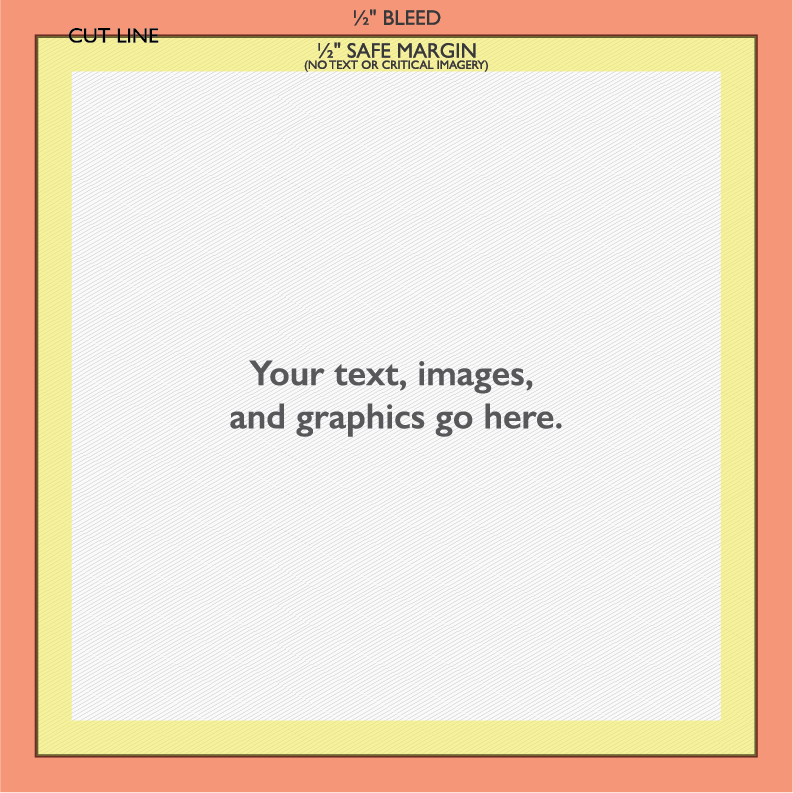 [click to enlarge]
Example graphic template with bleed and safe margin areas marked
Acceptable File Types
- Send a PDF, PNG, JPG, AI or SVG. A print-ready PDF is the surest choice.
- Convert all fonts in artwork to outlines or provide all font files.
- Any questions related to file preparation can be directed to graham.unruh@uplandexhibits.com.
File Submission
On most rails and signs, drop your artwork in while you build it and see it on the 3D model: Waymaker Indoor, the Waymaker outdoor sign, Flat Pack, Matfield and Pedestal Rail. It's optional there; you can still send it after you order.
For everything else, upload print-ready files on your order page once you've ordered. The link is in your confirmation email, or sign in at uplandexhibits.com/account with the email on the order. The page checks each file's size and resolution as it arrives.
Start from our print template. It's drawn at full size from the shop's own file, with the bleed and safe areas marked in the printer's colors. Download it beside the artwork drop on the product page, or from each graphic on your order page.
Our design department looks over every file and prepares it for print. If there are questions, they'll reach out. Proofs come back to your order page: approve one, or click a spot on it to pin a note and request changes.
Before Submitting:
- Only submit print-ready files
- Check for any typos
Client will be responsible for reprints due to spelling errors or visual adjustments on submitted graphics.